WHOOP Calorie Tracker: Why WHOOP Users Need a Smarter Nutrition App
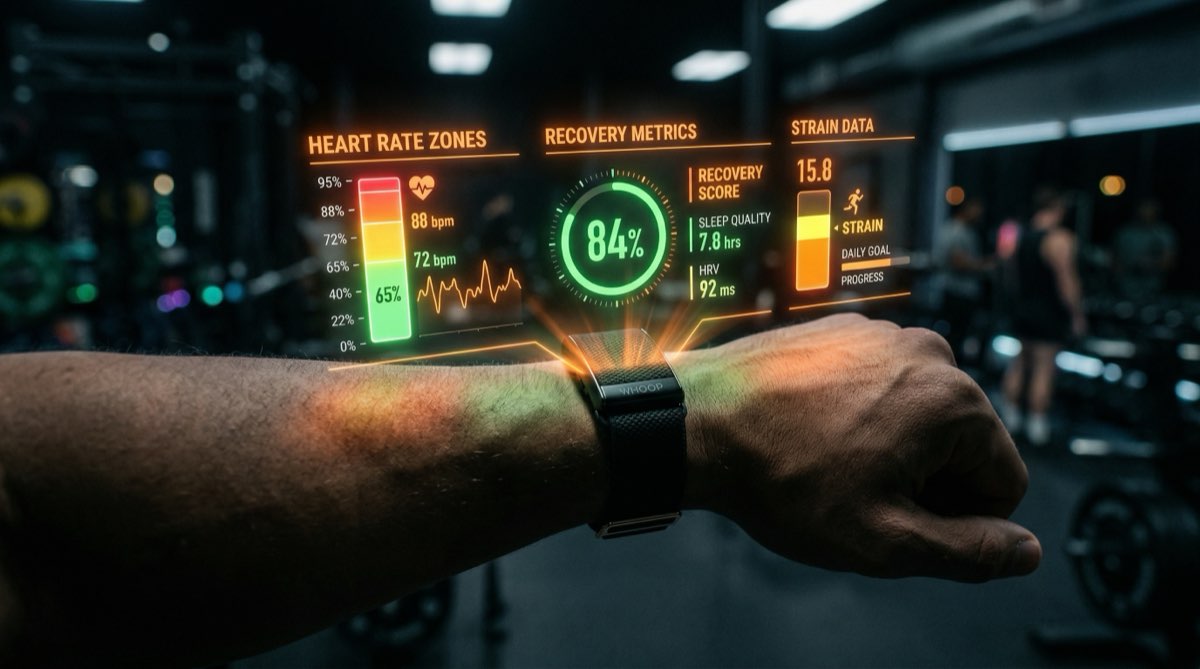
WHOOP gives you elite-level biometric data—recovery scores, strain, HRV, sleep performance, heart rate zones. But it doesn’t track what you eat. And if you’re serious about body composition, training performance, or weight management, calorie tracking isn’t optional—it’s the other half of the equation.
Sam Gym is the calorie tracker built specifically for people who wear WHOOP. It pulls your WHOOP data directly and uses it to power features that generic calorie apps can’t offer.
📊 What WHOOP Data Sam Gym Uses
When you connect your WHOOP account to Sam Gym, it syncs the following data daily:
- Recovery Score — Your body’s readiness to perform, expressed as a percentage. Sam Gym uses this to calculate your Optimal Performance Window (OPW).
- Day Strain — Cumulative cardiovascular load on a 0–21 scale. Combined with calorie data, this gives you a real energy balance picture.
- Calories Burned — WHOOP’s real-time calorie expenditure based on heart rate, not generic estimates from step counts.
- Heart Rate Zones — Minutes spent in Zone 2 through Zone 5. Useful for understanding training intensity distribution.
- HRV (Heart Rate Variability) — A key recovery metric. Sam Gym tracks it over time alongside your nutrition and weight data.
- Resting Heart Rate — Trended over time to show the relationship between nutrition, training load, and cardiovascular adaptation.
- Sleep Performance & Hours — How much and how well you slept, factored into recovery-based training recommendations.
⚡ The Optimal Performance Window (OPW)
This is Sam Gym’s signature feature for WHOOP users. The OPW calculates a window during your day when training would be most effective, based on:
- Your WHOOP recovery score
- Your sleep quality and duration
- Current strain accumulation
- Time of day factors
If your recovery is 85%, the OPW might suggest a 2-hour window in the late morning for high-intensity work. If recovery is 42%, it might suggest a shorter window for light Zone 2 cardio or active recovery.
No other calorie tracker does this. Most don’t even know your WHOOP exists.
Real energy balance: Most calorie trackers estimate your “calories burned” from step counts or generic activity multipliers. Sam Gym uses WHOOP’s heart-rate-derived calorie data—the same data WHOOP shows you in your daily strain report. Your energy deficit or surplus is calculated from actual expenditure, not guesswork.
🧠 Recovery-Aware Nutrition Insights
Sam Gym’s daily Insights engine (powered by AI) considers your WHOOP data when generating recommendations. It looks at:
- Yesterday’s recovery vs. caloric intake—did undereating hurt your recovery?
- Sleep quality trends correlated with eating patterns
- Strain-to-intake ratio—are you fueling enough for your training load?
- HRV trends alongside macro distribution changes
This isn’t generic “eat more protein” advice. It’s analysis based on your biometric data and your actual food intake.
❌ Why Generic Calorie Trackers Fall Short for WHOOP Users
If you’re wearing a $30/month wearable that gives you hospital-grade biometric data, pairing it with MyFitnessPal creates a data gap. Here’s what you miss:
- No recovery integration. MFP doesn’t know your recovery score. It can’t adjust recommendations based on how your body is responding.
- Estimated burns. MFP uses generic activity-level multipliers (sedentary, lightly active, etc.). WHOOP measures actual calorie expenditure from heart rate data.
- No training windows. Without recovery and strain data, no app can tell you when to train for maximum benefit.
- Disconnected systems. You end up looking at WHOOP for recovery, MFP for food, and trying to manually connect the dots.
🔗 The WHOOP + Sam Gym Stack
With both connected, your daily dashboard shows:
- Energy balance: Calories consumed (from meal logging) vs. calories burned (from WHOOP) = your net energy position
- Recovery trend: 7-day recovery chart alongside your nutrition data
- HR zone distribution: Time in Zone 2–5, visible alongside your strain and intake
- Weight prediction: Bayesian model that uses WHOOP calorie burn + logged meals to forecast your weight 6 weeks out
- OPW: Your optimal training window for the day
- Insights: AI-generated analysis connecting all of it together
🔧 How to Connect WHOOP to Sam Gym
Setup takes about 2 minutes:
- Open Sam Gym and go to your profile settings
- Select WHOOP as your tracker type
- Enter your WHOOP API credentials (Client ID and Secret from your WHOOP developer dashboard)
- Sam Gym handles the OAuth flow and begins syncing your data
Once connected, WHOOP data syncs automatically throughout the day. You don’t need to manually sync or export anything.
🎯 Who This Is For
The WHOOP + Sam Gym combination is ideal for:
- Athletes who want their nutrition data connected to their recovery data
- People cutting weight who need accurate energy balance (not estimates)
- CrossFit, endurance, or hybrid athletes managing high training volumes
- Anyone frustrated by using separate apps for nutrition and biometrics
Connect Your WHOOP
Recovery-aware nutrition tracking, real energy balance, and AI-powered training windows. Built for WHOOP users.
Start Free Trial